Features
Everything you need to run quality with confidence.
Rikki is designed for real-world quality operations: create controlled content, route work, track follow-through, and surface readiness before it becomes an audit problem.
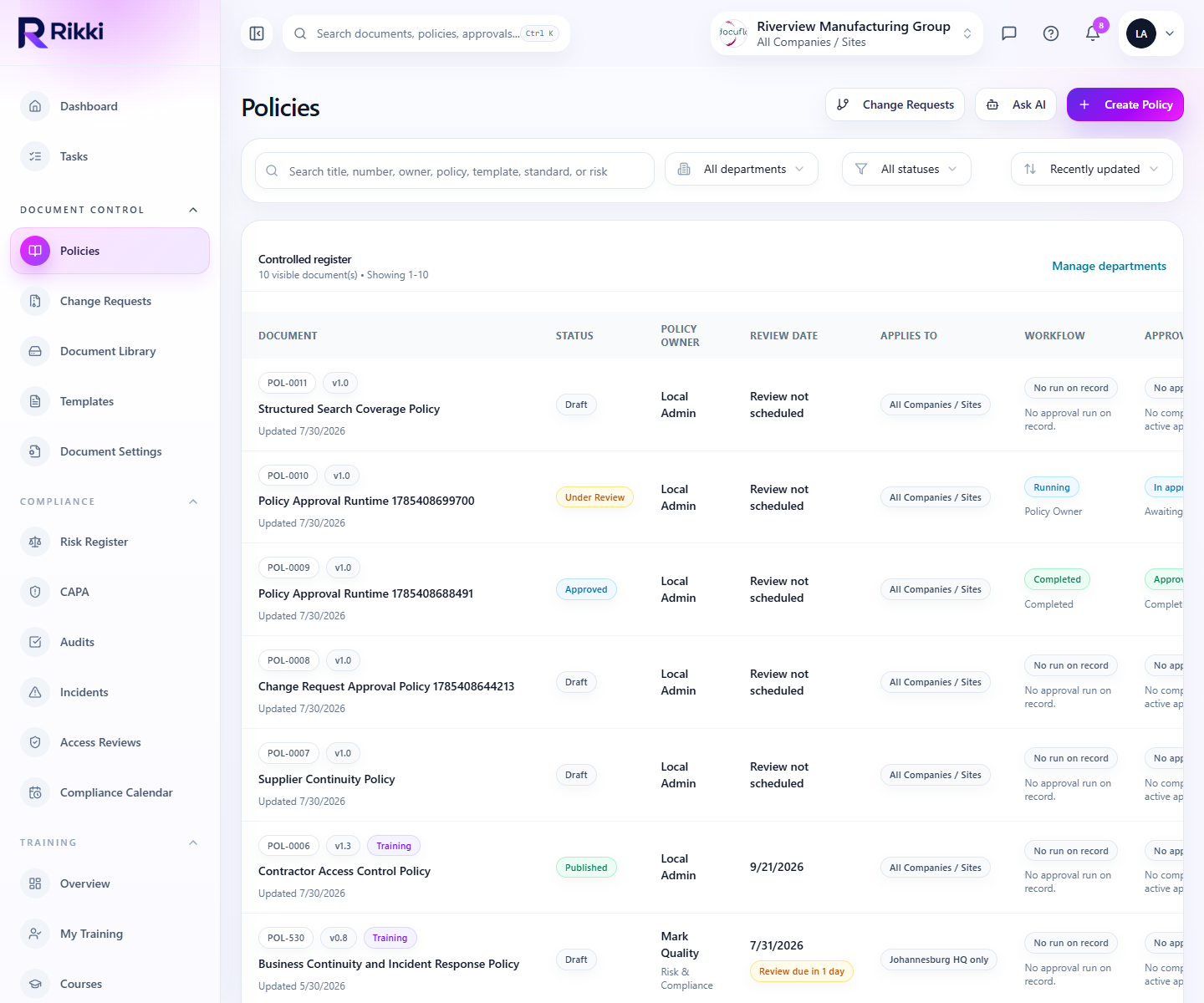
Live product views keep the story grounded in real operating sections instead of abstract mockups.
Feature depth
More than a feature checklist for quality management software buyers.
Rikki combines document control software, audit management software, training management, CAPA tracking, and compliance reporting in one connected workspace so teams can register once and evaluate the full operating model in context.
Document control
Create one operational register for policies, procedures, forms, records, and templates.
Training & competency
Manage learner readiness across teams, departments, and sites without a spreadsheet matrix.
CAPA
Track the status, urgency, and completion of corrective and preventive work across departments.
Audits
Use Rikki to manage audit readiness as an operating process, not an event-driven scramble.
Risk management
Keep policy risk, audit pressure, action backlog, and training gaps visible in one platform.
Reporting
Create live views for policy governance, CAPA aging, training pressure, and audit backlog.
Partner management
Manage multiple client organizations while preserving clear ownership, access, and billing boundaries.
Organization structure
Support multi-site, multi-company, and partner-managed environments without turning administration into chaos.
Document control
Keep every controlled document in one governed system.
Problem
When policies live in folders and reviews happen by email, teams lose track of versions, due dates, approval state, and who owns the next step.
Solution
Rikki gives teams a structured policy register with linked owners, review dates, approval state, training requirements, and clear publishing status.
Benefits
- Visible version history and ownership
- Controlled publishing and review cadence
- Cleaner training linkage for policy-driven work
Built-in process
- 1Create or import the controlled document
- 2Assign owners, approval path, and review dates
- 3Publish and track acknowledgement or downstream training
Controlled document register with ownership, status, approval route, and training links.
Training & competency
Map training requirements to the roles that actually need them.
Problem
Training matrices often drift from reality, leaving teams uncertain about who needs what, which certifications are current, and where the biggest coverage risks sit.
Solution
Rikki connects role-based training requirements, completion evidence, and renewal tracking in one shared training workspace.
Benefits
- Role-driven requirement coverage
- Renewal visibility before expiry becomes an audit issue
- Evidence-ready completion records for reviews and inspections
Built-in process
- 1Define role or department requirements
- 2Assign learners and review outstanding gaps
- 3Track completions, expiries, and remediation actions
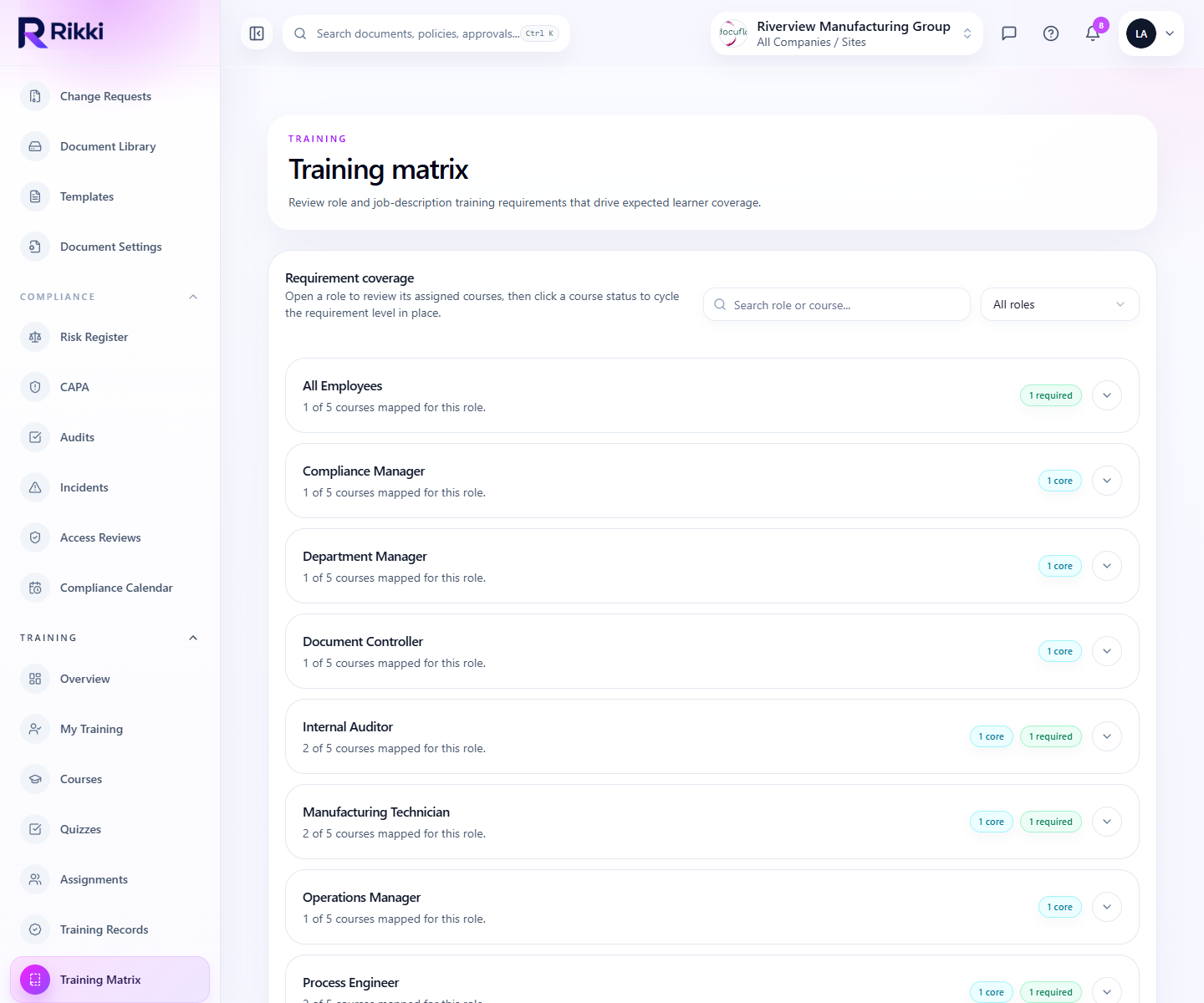
Role-based training matrix showing requirement coverage and learner readiness.
CAPA
Move corrective actions from investigation to verified closure.
Problem
CAPA programs often break down after the initial issue is logged, with no reliable view of action ownership, target dates, or whether verification actually happened.
Solution
Rikki gives teams one CAPA workspace with action lists, status filters, source tracking, and live progress across open investigations.
Benefits
- Action ownership with target dates
- Priority and source visibility across cases
- Faster review of overdue or verification-ready work
Built-in process
- 1Open a CAPA from an issue, complaint, audit, or review
- 2Assign corrective actions and monitor progress
- 3Verify effectiveness and close with a preserved audit trail
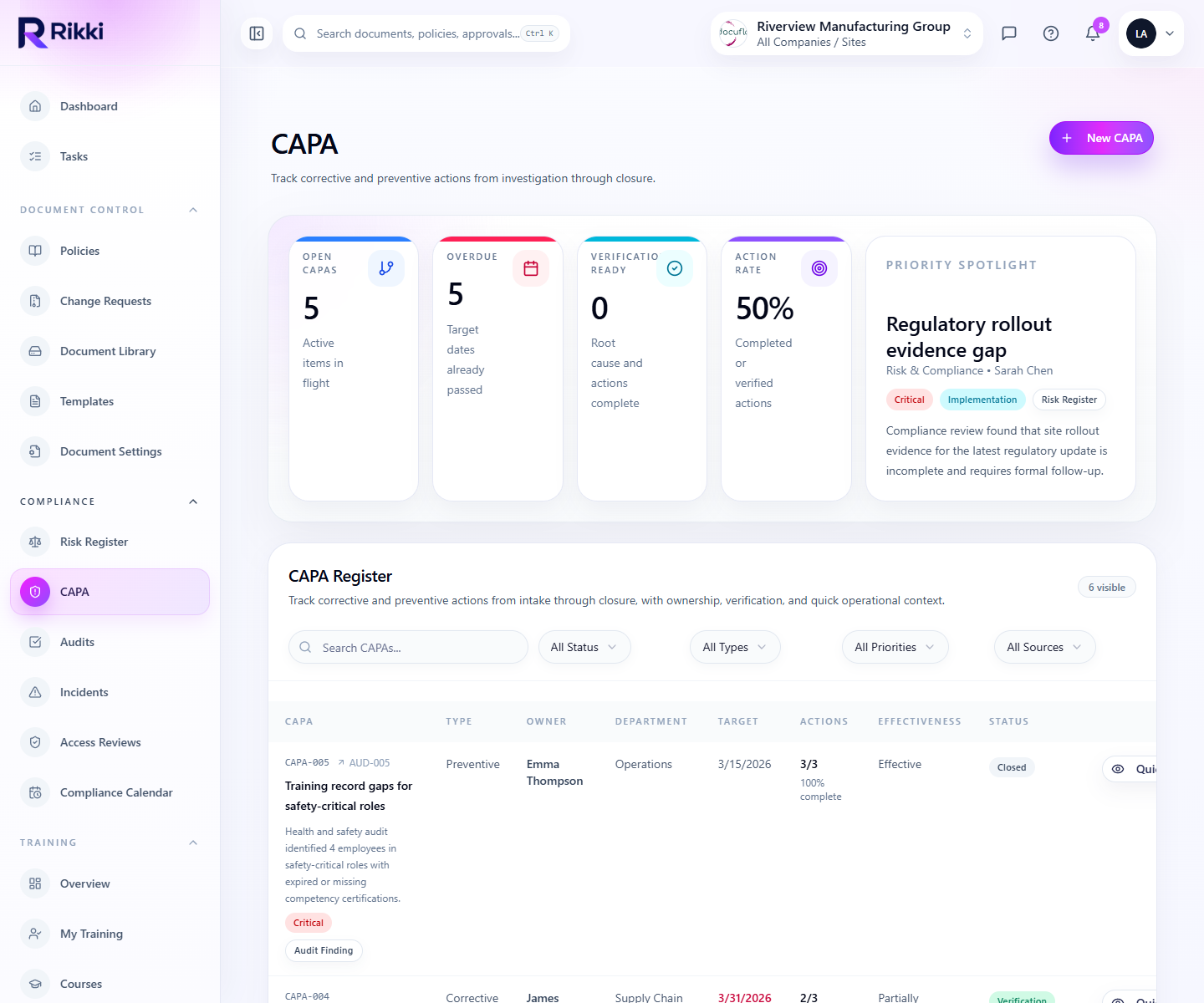
Corrective and preventive action tracking with priorities, due dates, and completion progress.
Audits
Plan audits, log findings, and keep follow-up visible.
Problem
Teams often collect audit evidence in one place, findings in another, and follow-up actions somewhere else entirely, which makes closure difficult to trust.
Solution
Rikki connects audit schedules, findings, CAPA follow-up, and operational reporting so teams can see open risk and completion status together.
Benefits
- Structured audit tracking and evidence capture
- Live visibility on open findings and due actions
- Stronger management follow-through after the audit date
Built-in process
- 1Plan or schedule the audit
- 2Record findings and attach evidence
- 3Route actions into CAPA and track management closure
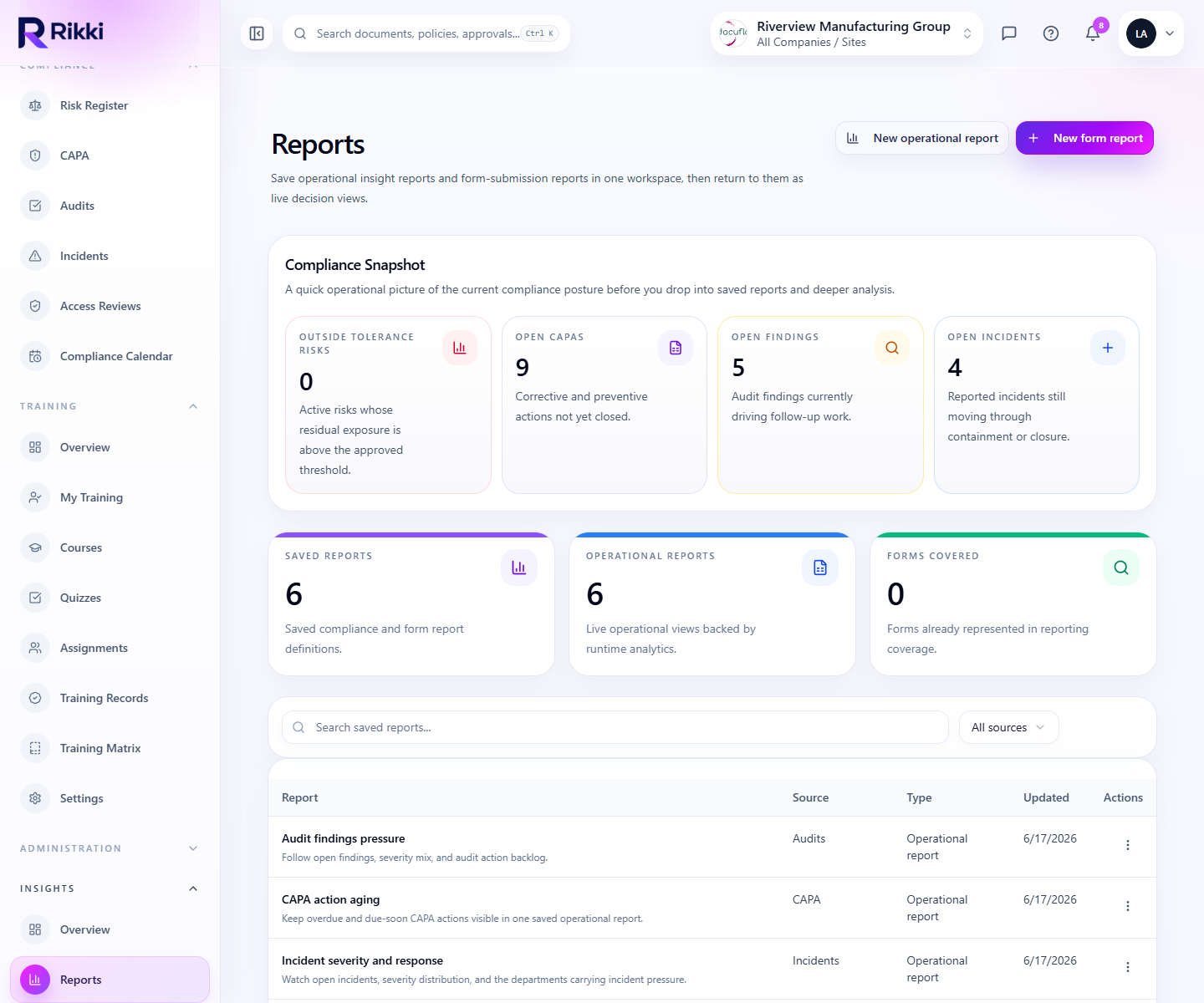
Saved operational reports across audits, CAPA, incidents, and policy governance.
Risk management
Surface risk early instead of finding it during the next review.
Problem
Most operational risk signals already exist inside the quality system, but they stay hidden when data is scattered across forms, folders, and spreadsheets.
Solution
Rikki turns controlled activity into working visibility through shared reporting, status filters, and cross-module oversight views.
Benefits
- Early signals from overdue work and completion gaps
- Cross-module visibility for leadership reviews
- Reduced reliance on manual reporting packs
Built-in process
- 1Track controlled activity inside each module
- 2Aggregate pressure points into shared operational reports
- 3Review trends and act before readiness slips
Saved operational reports across audits, CAPA, incidents, and policy governance.
Reporting
Turn operational activity into leadership-ready reporting.
Problem
Leadership reporting often arrives too late because teams spend more time assembling updates than using them to decide what needs attention.
Solution
Rikki provides report-ready structures that let teams save, revisit, and operationalize the views they actually use to manage quality.
Benefits
- Faster recurring operational reviews
- Shared decision views across functions
- Less time rebuilding the same reports every month
Built-in process
- 1Build the report around a real management question
- 2Save the view and reuse it for recurring review cycles
- 3Drive action directly from the surfaced pressure points
Saved operational reports across audits, CAPA, incidents, and policy governance.
Partner management
Support partner-led delivery without losing governance.
Problem
Advisory and managed-service teams need reusable governance structures, but most tools either flatten everything into one account or force every client to be administered manually.
Solution
Rikki is designed for partner-led delivery models where one partner can manage many organizations while preserving separation and transferability.
Benefits
- Cleaner oversight across multiple client accounts
- Transfer-ready governance between partner and client teams
- Reusable templates and operating structures for scale
Built-in process
- 1Create the partner workspace and managed organizations
- 2Assign ownership across partner admins and client teams
- 3Maintain controlled handoff and billing boundaries over time
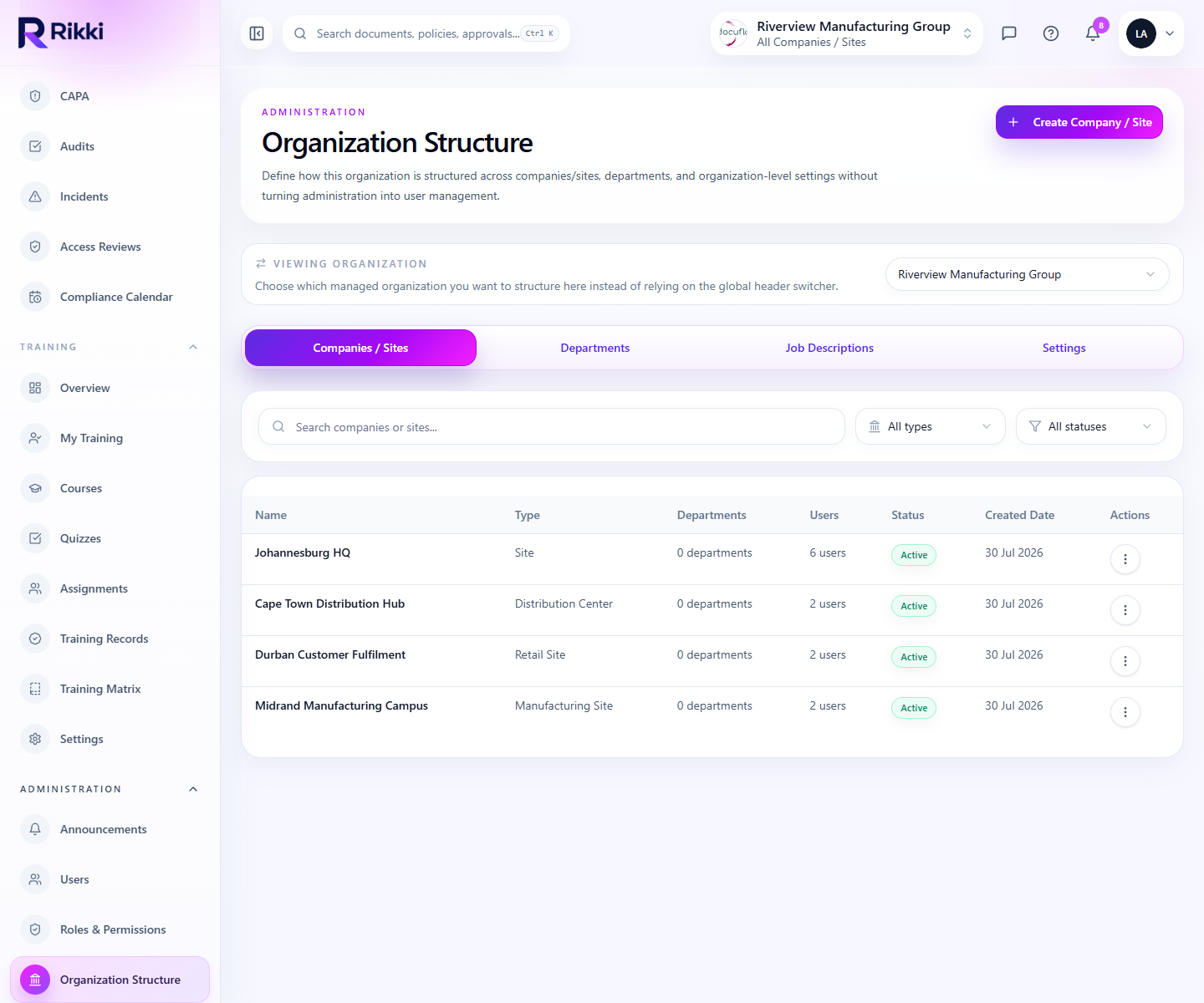
Organization structure across companies, sites, departments, and governance settings.
Organization structure
Map sites, departments, and governance layers into one operating structure.
Problem
If organization structure is unclear, every permission, assignment, and reporting rule becomes harder to trust as the program grows.
Solution
Rikki gives teams a dedicated structure workspace for companies, sites, departments, job descriptions, and local governance settings.
Benefits
- Cleaner multi-site scaling
- Safer assignment and reporting boundaries
- A stronger foundation for rollout and administration
Built-in process
- 1Define the organization, company, and site structure
- 2Map departments, roles, and operational boundaries
- 3Use the structure to drive permissions, assignments, and reporting
Organization structure across companies, sites, departments, and governance settings.
What this means operationally
Rikki replaces admin sprawl with a connected operating layer.
Instead of asking teams to switch between a DMS, spreadsheets, reminder systems, email approvals, and static reports, Rikki gives them one place to manage governed work.